
Author: Abhishek Singh | SEO & CRO Consultant | 6+ Years of Experience
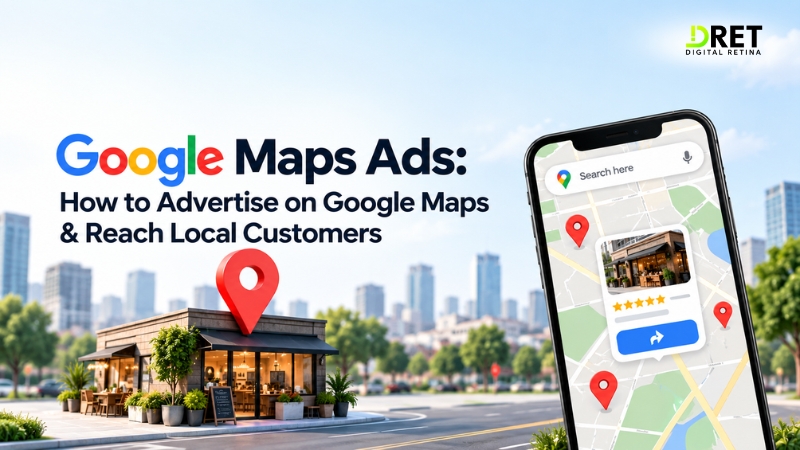
If your business relies on local customers, Google Maps Ads can help you reach people searching for nearby products, services, and businesses. Depending on the campaign, your ads can appear as promoted pins, Map search ads, Map suggest ads, or Placesheet ads within Google Maps.
Google Maps does not have a separate flat advertising fee. Your costs depend on the campaign type, bidding model, competition, targeting, and the interactions or impressions for which your campaign is charged. Importantly, Google currently does not let advertisers run campaigns exclusively on Google Maps. Google Ads: About ads on Maps
Key Takeaways
-
Google Maps Ads are paid placements that can help businesses generate local visibility, calls, directions, website visits, and store visits.
-
The main formats include Promoted Pins, Map Search Ads, Map Suggest Ads, and Placesheet Ads.
-
There is no fixed Google Maps ads cost. As a broad 2026 benchmark, Shopify reports an average Google Search CPC of about $2.69, but this is a Search-wide benchmark, not a Maps-specific price.
-
A New Zealand grocer, Four Square, recorded 419,000 incremental store visits after adding Maps placements through Performance Max, according to Shopify's Google Maps Ads guide, which cites Google's original case study.
-
You need the appropriate location setup, campaign type, targeting, and Google Business Profile or location assets to become eligible for relevant Maps placements.
-
Results should be measured using local actions such as calls, directions, website visits, and eligible store visits, not clicks alone.
What Are Google Maps Ads?
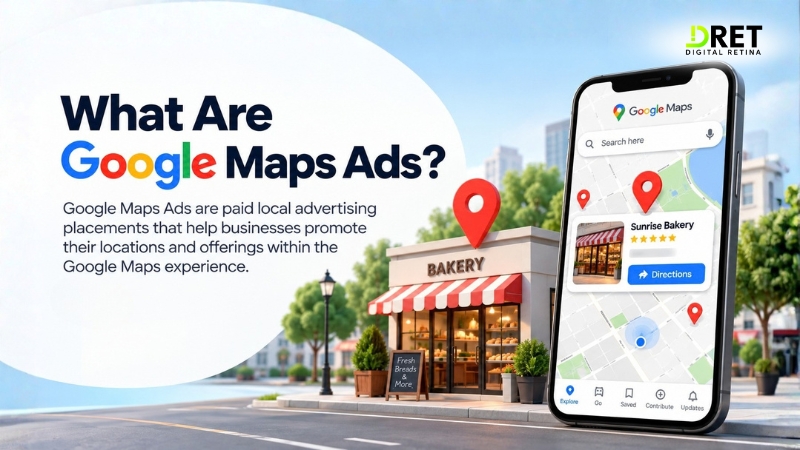
Google Maps Ads are paid advertising placements that allow businesses to promote their locations and offerings within the Google Maps experience. They are different from an organic Google Business Profile listing because paid placements are delivered through Google Ads.
For example, someone searching Maps for “dentist near me,” “coffee shop,” or “car repair” may encounter a sponsored business among the results. Depending on the format, the ad may provide information such as the business location, contact details, directions, website, or an offer.
This makes Google Maps advertising particularly relevant for businesses where location and proximity influence the purchase decision.
Where Can Google Maps Ads Appear?
Google currently identifies four main Maps ad formats. The campaign types supporting each format vary, so choosing the right campaign matters during setup.
|
Google Maps ad format |
Where it appears |
Primary eligible campaign types |
|
Promoted Pins |
Directly on the map |
Performance Max for store goals, Smart, Demand Gen, and eligible Travel campaigns |
|
Map Search Ads |
At the top of Maps search results |
Performance Max for store goals, Smart, Shopping, and eligible Search campaigns |
|
Map Suggest Ads |
Autocomplete suggestions in Maps |
Performance Max for store goals, Smart, or Search |
|
Placesheet Ads |
Business detail pages |
Travel or Performance Max for store goals |
Promoted Pins can appear while users browse, search, view directions, or navigate, while Map Suggest Ads appear in the Maps mobile app as users type. Exact availability depends on the campaign and advertising context.
How to Advertise on Google Maps?
To advertise on Google Maps, set up an eligible Google Ads campaign, connect the required business location information, configure location targeting, and provide relevant keywords and assets.
1. Set Up Your Google Business Profile
Start with accurate business information, including your address or service area, phone number, website, opening hours, category, and other important details.
For relevant Maps advertising, Google requires location information and, depending on the format, a linked and verified Business Profile or active location assets.
2. Connect Location Assets
For Map Search Ads, Google requires location assets to be enabled. Promoted Pins can require your Google Business Profile to be linked to Google Ads.
3. Select the Right Campaign
Google Maps is a serving surface within Google Ads rather than a standalone campaign type.
Depending on your objective, Maps placements can be available through Search, Performance Max, Smart, Shopping, Demand Gen, and certain Travel campaigns.
4. Set Location Targeting
Target locations your business can realistically serve. A local restaurant may focus on nearby areas, while a service-area business such as an HVAC company may need a broader service region.
Google's location targeting guidance explains how advertisers can use geographic targeting to reach customers in selected areas. Google Ads location targeting
5. Add Relevant Keywords and Messaging
Use searches that reflect real local intent, such as:
-
“dentist near me”
-
“AC repair in Noida”
-
“Italian restaurant near me”
-
“emergency plumber”
-
“car service near me”
Your ad, Business Profile, and landing page should support the same customer intent.
6. Set Your Budget and Bidding
Choose a daily budget based on your expected lead or customer value and monitor actual conversion performance before increasing spend.
How Much Do Google Maps Ads Cost?
There is no fixed Google Maps advertising cost because pricing depends on the campaign, auction, bidding strategy, location, industry, and type of interaction.
As a broad benchmark, Shopify reports an average Google Search CPC of around $2.69 in 2026. However, this figure covers Google Search campaigns generally and should not be treated as the average price of a Google Maps click. Actual local advertising costs can be significantly different by market and industry. Shopify's Google Maps Ads guide
Depending on the campaign, Google may charge based on clicks or views. Qualifying local interactions can include actions such as website visits, calls, directions, Business Profile interactions, or map-pin interactions. Google also provides information about local ads and the actions advertisers can measure.
The practical way to evaluate Google Maps PPC is therefore to track the cost of meaningful outcomes, such as a qualified call, direction request, lead, or store visit.
Do Google Maps Ads Actually Drive Store Visits?
Yes, Maps placements can contribute to measurable offline visits, although results vary by business, campaign, location, and measurement eligibility.
Performance Max campaigns with store-focused objectives can connect online advertising with physical-location actions. One reported example is New Zealand grocery chain Four Square, which recorded 419,000 incremental store visits after using Maps placements through Performance Max. The figure comes from Google's case study as reported by Shopify's Google Maps Ads guide.
This is why local campaigns should not be judged only by online clicks. For businesses with physical locations, directions, calls, and eligible store visits can provide a more useful picture of campaign performance.
How to Measure Google Maps Advertising Performance
Measure Google Maps advertising using local actions and business outcomes rather than impressions or clicks alone.
Google Ads can report local actions such as:
-
Calls: People clicking the call option.
-
Directions: People requesting navigation to the business.
-
Website visits: People visiting the website associated with the location.
-
Store visits: Eligible advertisers can measure estimated physical visits after ad interactions.
-
Orders or menu views: Available for relevant businesses and campaigns.
Google's Store report provides location-level data for actions including calls, directions, website visits, and store visits. Google Ads Store reports
For eligible accounts, store visit conversions can also help connect advertising interactions with physical visits. These conversions are not available to every advertiser and depend on Google's eligibility requirements. Google Ads store visit conversions
A useful reporting framework is:
Ad spend → local actions → qualified leads → store visits → sales
This gives you a clearer view of whether your Google Maps ad campaign is contributing to business results.
Why Can't I See My Google Maps Ad?
Not seeing your own ad does not necessarily mean that your campaign is not running. Several factors can affect whether an ad appears in a particular Maps search or location.
Check these areas first:
-
Location setup: Confirm that your Business Profile is linked and verified where required and that your location assets are active and approved.
-
Campaign status: Make sure the campaign is active and targeting the correct geographic area.
-
Map zoom level: Promoted Pins may not appear when you are zoomed too far out.
-
Search relevance: For Search campaigns, check whether the search query is relevant to your keywords and business.
-
Auction competition: Maps has limited ad inventory, so another advertiser may win the available placement.
Google recommends using the Ad Preview and Diagnosis tool rather than repeatedly searching for your own ad. The tool lets advertisers check how their ads may appear without generating additional impressions through repeated searches. Google Ads Ad Preview and Diagnosis tool
Google Maps Ads vs Organic Google Maps Listings
Google Maps Ads are paid placements, while organic Google Maps listings are unpaid results generated by Google's local ranking systems.
|
Paid Google Maps Ads |
Organic Google Maps visibility |
|
Requires advertising spend |
Does not require ad spend |
|
Delivered through Google Ads |
Based on Google's local systems |
|
Can provide additional paid visibility |
Depends on organic local relevance and ranking |
|
Performance can be measured through ad reporting |
Measured through organic visibility and actions |
Running ads does not guarantee that your organic Business Profile will rank higher. For sustainable Google Maps marketing, businesses can use paid advertising alongside local SEO and an accurate, useful Google Business Profile.
Are Google Maps Ads Useful for Small Businesses?
Google Maps Ads can be useful for small businesses when customers commonly search for nearby services or locations. Restaurants, clinics, salons, retailers, repair companies, professional services, and other local businesses can use paid Maps placements to generate calls, directions, visits, and leads.
The important question is not simply whether your business can get more Google Maps ads near me visibility. Instead, evaluate whether the campaign produces valuable local actions at a sustainable cost.
Can You Advertise Exclusively on Google Maps?
No. Google currently does not allow advertisers to serve ads exclusively on Google Maps. Eligible campaigns can serve across multiple Google surfaces depending on the campaign type and settings.
That means businesses should plan their budget around the broader Google Ads campaign rather than treating Maps as a completely isolated advertising channel.
FAQs About Google Maps Ads
How do I advertise my business on Google Maps?
Create an eligible Google Ads campaign, connect the required Google Business Profile or location assets, configure location targeting, add relevant keywords and assets, and set your budget and bidding strategy. Google determines where eligible ads can appear based on the campaign and advertising context.
How much does it cost to advertise on Google Maps?
There is no fixed Google Maps advertising price. Costs vary by campaign, industry, location, competition, bidding strategy, and interaction type. A $2.69 average CPC reported for Google Search in 2026 can provide a broad benchmark, but it is not a Maps-specific rate.
Do I need a Google Business Profile for Maps ads?
For relevant Maps formats, Google requires business location information and specific location setup. Promoted Pins require a linked Google Business Profile in the documented setup, while Map Search Ads require location assets.
Are Google Maps Ads the same as Google Business Profile SEO?
No. Google Maps Ads are paid placements delivered through Google Ads. Organic Google Maps visibility comes from Google's local search systems. Advertising should not be considered a replacement for local SEO.
Can service-area businesses use Google Maps advertising?
Eligible businesses with a physical location or service area can use relevant local advertising options, subject to Google's campaign and policy requirements. Location targeting should reflect the areas the business can actually serve.
Final Takeaway
Google Maps Ads give local businesses a paid way to reach customers who are actively searching, browsing, or navigating around relevant locations. Promoted Pins, Map Search Ads, Map Suggest Ads, and Placesheet Ads provide different ways to connect local intent with business locations.
The strongest setup combines accurate location information, appropriate campaign selection, focused geographic targeting, relevant messaging, and conversion tracking. Instead of measuring success only through clicks, focus on calls, directions, qualified leads, store visits, and ultimately revenue.
About the Author:
Abhishek Singh is an SEO & CRO Consultant with 6+ years of experience, focused on search visibility, conversion optimization, and measurable digital marketing performance.
Ready to Implement These Strategies?
Our team of digital marketing experts can help you navigate these trends and create a winning strategy.